
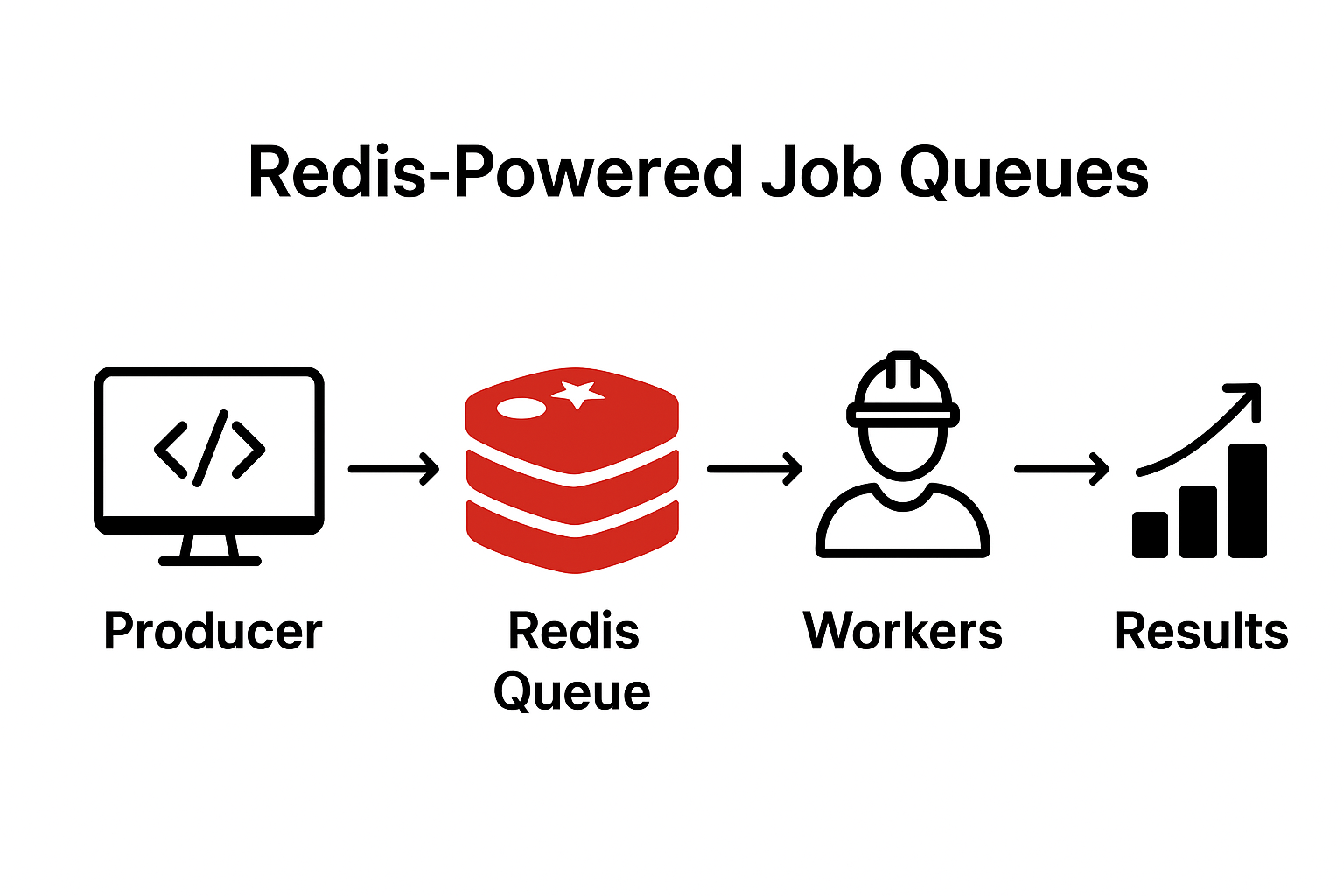
Redis-Powered Job Queues
Modern applications require handling tasks efficiently without blocking the main user experience. Tasks like sending emails, processing payments, logging events, and handling background jobs should not slow down the application. Instead, they should be offloaded to background jobs using a job queue. Redis is an excellent choice for implementing job queues due to its speed, reliability, and simplicity.
Why Use Redis for Job Queues?
Redis, with its support for list and set data structures, can be effectively used as a message queue. This means that it can handle multiple tasks lined up for processing, whether immediately or at a scheduled time. Redis is widely used for background processing because of:
- Blazing-fast in-memory storage: Microsecond response time
- Reliable queue system: Ensures consistent ordering when used with FIFO/LIFO patterns
- Scalability: Multiple workers can process jobs in parallel
- Flexible data structures: Lists, Streams, and Sorted Sets for different queue patterns
- Persistence options: Can recover jobs after crashes if configured properly
Requirements: Redis >= 5 or Valkey >= 7.2
How Job Queues Work
A job queue consists of three key components:
- Producer: Pushes jobs (tasks) into a queue
- Queue (Redis): Stores and manages jobs
- Consumer (Worker): Listens for jobs and processes them asynchronously
Example Workflow
- A user registers → The app adds an email confirmation job to a Redis queue
- A background worker picks up the job and sends the email
- The job is marked as completed
Advanced Redis Queue Features
Reliable Queues with Timeout-Based Recovery
In a basic queue, if a consumer crashes after dequeuing a task but before processing it, that task is lost. Redis prevents data loss by using a reliable queue pattern where a task moves to a temporary queue until the consumer confirms it has been processed. If a task is not acknowledged within a set timeout, it can be picked up by another worker.
Implementation with Timeout Recovery
import redis
import time
import json
import uuid
import hashlib

def generate_task_id(task_content):
    """Generate a unique ID for a task"""
    if isinstance(task_content, str):
        # For JSON strings or complex data, use hash
        return hashlib.md5(task_content.encode()).hexdigest()
    else:
        # For simple tasks, generate UUID
        return str(uuid.uuid4())

def reliable_dequeue_with_timeout(main_queue, processing_queue, timeout=300):
    """Dequeue task and move to processing queue with timestamp"""
    redis_conn = redis.Redis(decode_responses=True)

    # Move task from main to processing (LMOVE replaces deprecated RPOPLPUSH)
    task = redis_conn.lmove(main_queue, processing_queue, 'RIGHT', 'LEFT')

    if task:
        # Generate unique ID for this task
        task_id = generate_task_id(task)

        # Store timestamp for timeout tracking using task ID
        task_metadata = {
            'task': task,
            'task_id': task_id,
            'timestamp': time.time(),
            'timeout': timeout
        }
        redis_conn.hset(f'processing:{task_id}', mapping=task_metadata)

        return task, task_id

    return None, None

def acknowledge_task(processing_queue, task, task_id):
    """Remove task from processing queue when completed"""
    redis_conn = redis.Redis(decode_responses=True)
    redis_conn.lrem(processing_queue, 1, task)
    redis_conn.delete(f'processing:{task_id}')

def recover_stale_tasks(main_queue, processing_queue):
    """Move timed-out tasks back to main queue for retry"""
    redis_conn = redis.Redis(decode_responses=True)
    current_time = time.time()

    # Get all processing metadata keys
    processing_keys = redis_conn.keys('processing:*')

    for key in processing_keys:
        metadata = redis_conn.hgetall(key)
        if metadata:
            task_time = float(metadata.get('timestamp', 0))
            timeout = float(metadata.get('timeout', 300))
            task = metadata.get('task')

            # Check if task has exceeded timeout
            if current_time - task_time > timeout:
                # Move task back to main queue
                redis_conn.lpush(main_queue, task)
                redis_conn.lrem(processing_queue, 1, task)
                redis_conn.delete(key)
                print(f'Recovered stale task: {task}')

# Example usage in worker
def worker_with_recovery():
    while True:
        # Recover stale tasks first
        recover_stale_tasks('main_queue', 'processing_queue')

        # Get new task
        task, task_id = reliable_dequeue_with_timeout('main_queue', 'processing_queue', timeout=300)

        if task:
            try:
                process_task(task)  # Your task processing logic
                acknowledge_task('processing_queue', task, task_id)
            except Exception as e:
                print(f'Task failed: {e}')
                # Task remains in processing queue and will be recovered by timeout
        else:
            time.sleep(1)  # Wait before checking again
This implementation ensures that if a worker crashes or takes too long to process a task, another worker can pick it up after the timeout period. The recover_stale_tasks function should be run periodically by all workers to ensure fault tolerance.
Blocking Queues
In a basic queue, consumers must poll for new tasks, which is inefficient. Redis supports blocking queues where consumers wait for new tasks without polling.
import redis

def blocking_dequeue(queue, timeout=0):
    """Blocking dequeue that properly handles the return tuple"""
    redis_conn = redis.Redis(decode_responses=True)
    result = redis_conn.brpop(queue, timeout)  # Returns (queue_name, task) or None

    if result:
        queue_name, task = result
        return task
    return None
Delayed Tasks
Redis does not directly support delayed tasks but can implement them using sorted sets.
import redis
import time

def schedule_task(queue, task, delay):
    redis_conn = redis.Redis(decode_responses=True)
    execute_time = time.time() + delay
    redis_conn.zadd(queue, {task: execute_time})

def process_scheduled_tasks(queue, main_queue):
    redis_conn = redis.Redis(decode_responses=True)
    current_time = time.time()
    tasks = redis_conn.zrangebyscore(queue, 0, current_time)

    for task in tasks:
        redis_conn.rpush(main_queue, task)
        redis_conn.zrem(queue, task)
Priority Queues
Redis can implement priority queues using sorted sets where the score represents priority. Consumers process higher-priority tasks first.
import redis

def enqueue_priority_task(queue, task, priority):
    redis_conn = redis.Redis(decode_responses=True)
    redis_conn.zadd(queue, {task: priority})

def dequeue_priority_task(queue):
    """Properly handle zpopmin return value"""
    redis_conn = redis.Redis(decode_responses=True)
    result = redis_conn.zpopmin(queue, 1)  # Returns [(member, score)] or []

    if result:
        task, priority = result[0]
        return task
    return None
Creating Durable Queues
By default, Redis operates as an in-memory data store, which means data can be lost if Redis crashes or restarts. To create durable queues that survive crashes, you need to enable Redis persistence.
Redis Persistence Options
- RDB (Redis Database): Point-in-time snapshots at specified intervals. Fast to restore but can lose recent data.
- AOF (Append-Only File): Logs every write operation. More durable but slower than RDB.
- AOF with RDB preamble (Redis 7+): Combines both approaches - AOF file starts with an RDB snapshot for faster recovery, followed by AOF commands.
Configuring AOF Persistence
Edit your redis.conf file:
# Enable AOF persistence
appendonly yes

# Set AOF sync policy
# always: Sync after every write (slowest, most durable)
# everysec: Sync once per second (good balance)
# no: Let OS decide when to sync (fastest, least durable)
appendfsync everysec

# Automatic AOF rewrite to prevent file from growing indefinitely
auto-aof-rewrite-percentage 100
auto-aof-rewrite-min-size 64mb

# For Redis 7+, enable RDB preamble for faster recovery
aof-use-rdb-preamble yes
Restart Redis to apply changes:
redis-server /path/to/redis.conf
Python Implementation with Durable Queue
import redis

def create_durable_queue_connection():
    """Connect to Redis with persistence enabled"""
    redis_conn = redis.Redis(
        host='localhost',
        port=6379,
        decode_responses=True
    )

    # Verify AOF is enabled
    config = redis_conn.config_get('appendonly')
    if config.get('appendonly') == 'yes':
        print('Durable queue enabled (AOF active)')
    else:
        print('Warning: AOF not enabled. Data may be lost on crash.')

    return redis_conn
With AOF enabled, your Redis queue will persist all operations to disk. In the event of a crash, Redis will replay the AOF log on restart to restore the queue to its last known state.
Worker Scalability: Multi-Process, Multi-Threaded, and AsyncIO
As your application grows, you'll need to scale your workers to handle increased load. Redis queues support multiple scalability patterns, each suited for different types of tasks.
Multi-Process Workers
Best for CPU-intensive tasks. Python's multiprocessing module bypasses the GIL (Global Interpreter Lock) by creating separate processes, each with its own Python interpreter.
import redis
from multiprocessing import Process
import os

def worker(worker_id, queue_name):
    redis_conn = redis.Redis(decode_responses=True)
    print(f'Worker {worker_id} started')

    while True:
        result = redis_conn.brpop(queue_name, timeout=1)
        if result:
            queue, task_data = result  # Properly unpack the tuple
            print(f'Worker {worker_id} processing: {task_data}')
            process_task(task_data)  # CPU-intensive operation

if __name__ == '__main__':
    # For CPU-bound tasks, use number of CPU cores
    # For I/O-bound tasks with Redis, can use more workers
    num_workers = os.cpu_count() or 4  # Default to 4 if cpu_count returns None
    processes = []

    for i in range(num_workers):
        p = Process(target=worker, args=(i, 'task_queue'))
        p.start()
        processes.append(p)

    for p in processes:
        p.join()
Multi-Threaded Workers
Best for I/O-bound tasks like network requests or database queries. Threads share the same memory space and are lighter than processes.
import redis
from threading import Thread

def worker(worker_id, queue_name):
    redis_conn = redis.Redis(decode_responses=True)
    print(f'Thread {worker_id} started')

    while True:
        result = redis_conn.brpop(queue_name, timeout=1)
        if result:
            queue, task_data = result  # Properly unpack the tuple
            print(f'Thread {worker_id} processing: {task_data}')
            process_io_task(task_data)  # I/O operation (API call, DB query)

if __name__ == '__main__':
    # For I/O-bound tasks, can use many more threads than CPU cores
    num_threads = 10
    threads = []

    for i in range(num_threads):
        t = Thread(target=worker, args=(i, 'task_queue'))
        t.start()
        threads.append(t)

    for t in threads:
        t.join()
AsyncIO Workers for High-Concurrency I/O
Best for high-concurrency I/O operations. AsyncIO allows a single thread to handle thousands of concurrent tasks efficiently using cooperative multitasking.
Note: Modern redis-py includes asyncio support. No need for the deprecated aioredis package.
First, install required dependencies:
pip install redis[hiredis] aiofiles
import asyncio
import redis.asyncio as redis  # Built into redis-py >= 4.2.0
import aiofiles  # For async file operations

async def process_disk_io_task(task_data):
    """Simulated disk I/O operation"""
    async with aiofiles.open(f'/tmp/{task_data}.txt', 'w') as f:
        await f.write(f'Processed task: {task_data}')
    print(f'Task {task_data} written to disk')

async def async_worker(worker_id, queue_name):
    # Use decode_responses=True to get strings instead of bytes
    redis_conn = redis.from_url('redis://localhost', decode_responses=True)
    print(f'AsyncIO worker {worker_id} started')

    try:
        while True:
            result = await redis_conn.brpop(queue_name, timeout=1)
            if result:
                queue, task_data = result  # Properly unpack tuple
                # No need to decode since decode_responses=True
                print(f'Worker {worker_id} processing: {task_data}')
                await process_disk_io_task(task_data)
    finally:
        await redis_conn.aclose()  # Proper cleanup

async def main():
    num_workers = 50  # Can handle many concurrent tasks efficiently
    workers = [async_worker(i, 'task_queue') for i in range(num_workers)]
    await asyncio.gather(*workers)

if __name__ == '__main__':
    asyncio.run(main())
Choosing the Right Scalability Pattern
| Pattern | Best For | Example Use Cases | Worker Count Recommendation |
|---|---|---|---|
| Multi-Process | CPU-intensive tasks | Image processing, data analysis, encryption | Number of CPU cores (use os.cpu_count()) |
| Multi-Threaded | I/O-bound tasks | API calls, database queries, file operations | 2-10x CPU cores (depends on I/O wait time) |
| AsyncIO | High-concurrency I/O | Web scraping, chat servers, real-time updates | 100s-1000s (limited by memory/connections) |
Understanding the RQ (Redis Queue) Package
The RQ (Redis Queue) package is a Python library that provides a higher-level abstraction over raw Redis commands for job queue management. You have two approaches when working with Redis queues:
- Use RQ library: Simplified API with built-in worker management, job serialization, and monitoring.
- Use raw Redis commands: Direct control using LPUSH, RPOP, BRPOP, etc. for custom implementations.
Approach 1: Using RQ Library (High-Level)
RQ provides a simple interface for enqueueing jobs and running workers. It handles serialization, error handling, job monitoring, and retries automatically.
Producer with RQ
from redis import Redis
from rq import Queue

# Define a task function
def send_email(recipient, subject, body):
    print(f'Sending email to {recipient}')
    # Email sending logic here
    return f'Email sent to {recipient}'

# Create Redis connection and queue
redis_conn = Redis()
queue = Queue('emails', connection=redis_conn)

# Enqueue a job
job = queue.enqueue(send_email, 'user@example.com', 'Welcome', 'Hello!')
print(f'Job ID: {job.id}')

# Schedule a job for later (delayed execution)
from datetime import timedelta
job = queue.enqueue_in(timedelta(minutes=5), send_email, 'user@example.com', 'Reminder', "Don't forget!")
Consumer (Worker) with RQ
from redis import Redis
from rq import Worker, Queue

# Create connection and listen to queue
redis_conn = Redis()
queue = Queue('emails', connection=redis_conn)

# Start worker
worker = Worker([queue], connection=redis_conn)
worker.work()  # Blocks and processes jobs
You can also run the worker from command line:
rq worker emails --url redis://localhost:6379
Benefits of Using RQ
- Automatic job serialization and deserialization
- Built-in retry mechanism with configurable attempts
- Job status tracking (queued, started, finished, failed)
- Job results storage and retrieval
- Exception handling and failure callbacks
- Job timeouts and TTL (time-to-live)
- Dashboard for monitoring (RQ Dashboard)
Approach 2: Direct Redis Commands (Low-Level)
For more control and customization, you can work directly with Redis commands. This approach gives you flexibility but requires manual handling of serialization, error recovery, and monitoring.
Producer with Raw Redis
import redis
import json

redis_conn = redis.Redis(decode_responses=True)

# Manually serialize and enqueue task
task = {
    'function': 'send_email',
    'args': ['user@example.com', 'Welcome', 'Hello!']
}

# Push to queue (LPUSH adds to left, RPUSH adds to right)
redis_conn.lpush('email_queue', json.dumps(task))
print('Task enqueued')
Consumer with Raw Redis
import redis
import json
import time

redis_conn = redis.Redis(decode_responses=True)

def process_task(task_data):
    print(f'Processing: {task_data}')
    # Your task processing logic

while True:
    # BRPOP blocks until task is available (blocking pop from right)
    result = redis_conn.brpop('email_queue', timeout=5)

    if result:
        queue_name, task_json = result  # Properly unpack tuple
        task = json.loads(task_json)
        process_task(task)
    else:
        time.sleep(1)  # Wait before next poll
Common Redis Queue Commands
- LPUSH key value: Add item to the left (head) of the list
- RPUSH key value: Add item to the right (tail) of the list
- RPOP key: Remove and return item from the right
- LPOP key: Remove and return item from the left
- BRPOP key timeout: Blocking version of RPOP (returns tuple: (key, value))
- BLPOP key timeout: Blocking version of LPOP (returns tuple: (key, value))
- LMOVE source dest where_src where_dest: Atomically move item from one list to another
- LLEN key: Get the length of the list
- LRANGE key start stop: Get range of items from list
When to Use RQ vs Raw Redis Commands
| Criteria | Use RQ | Use Raw Redis |
|---|---|---|
| Project Size | Small to medium projects | Large, custom requirements |
| Development Speed | Need quick implementation | Have time for custom solution |
| Features | Need job monitoring, retries, TTL | Need fine-grained control |
| Team Experience | New to job queues | Experienced with Redis |
| Customization | Standard queue patterns | Complex custom workflows |
Use Cases
1. Sending Emails in the Background
Problem: Sending emails synchronously slows down the application.
Solution: Use Redis Queue (RQ) to queue email jobs and process them in the background.
Implementation
Install dependencies:
pip install redis rq
Producer: Add job to Redis queue
import redis
from rq import Queue
from email_sender import send_email

redis_conn = redis.Redis()
queue = Queue('email_jobs', connection=redis_conn)

queue.enqueue(send_email, 'user@example.com', 'Welcome!', 'Hello, welcome to our platform!')
Worker: Process jobs in the background
from rq import Worker, Queue
from redis import Redis

redis_conn = Redis()
queue = Queue('email_jobs', connection=redis_conn)

worker = Worker([queue], connection=redis_conn)
worker.work()
✅ Outcome: Users receive instant feedback while emails are sent asynchronously.
2. Processing Payments Securely
Problem: Payments require validations, fraud checks, and notifications, which should not delay checkout.
Solution: Queue payment transactions and process them in a background worker.
Implementation
Producer: Add payment job
import redis
from rq import Queue
from payments import process_payment

redis_conn = redis.Redis()
payment_queue = Queue('payment_jobs', connection=redis_conn)

payment_queue.enqueue(process_payment, 'user_123', 49.99)
print('Payment job added to queue')
Worker: Process payments
from rq import Worker, Queue
from redis import Redis

redis_conn = Redis()
queue = Queue('payment_jobs', connection=redis_conn)

worker = Worker([queue], connection=redis_conn)
worker.work()
✅ Outcome: Users get an instant checkout experience, while payments are securely processed.
3. Logging Events in the Background
Problem: Writing logs synchronously can slow down an application.
Solution: Use Redis to queue logs and process them asynchronously.
Implementation
Producer: Add Log Events to Queue
import redis

def log_event(log_queue, event):
    redis_conn = redis.Redis(decode_responses=True)
    redis_conn.rpush(log_queue, event)  # Push event to Redis list
    print(f'Logged: {event}')

if __name__ == '__main__':
    log_event('log_queue', 'User logged in')
    log_event('log_queue', 'Payment successful')
    log_event('log_queue', 'File uploaded')
Worker: Listen for new logs and process them
import redis

def process_logs(log_queue):
    redis_conn = redis.Redis(decode_responses=True)

    while True:
        result = redis_conn.blpop(log_queue, 0)  # Blocks until a log is available
        if result:
            queue_name, event = result  # Properly unpack tuple
            print(f'Processed log: {event}')  # No decode needed with decode_responses=True

if __name__ == '__main__':
    print('Log Worker Started...')
    process_logs('log_queue')
✅ Outcome: Application logs are processed efficiently without blocking main operations.
Redis vs. Other Message Queues
| Feature | Redis | RabbitMQ | Amazon SQS | Apache Kafka |
|---|---|---|---|---|
| Type | In-memory data store | Message broker | Managed queue service | Distributed streaming platform |
| Performance | Very high (microseconds) | High (milliseconds) | Moderate (network latency) | High (optimized for throughput) |
| Persistence | Optional (RDB/AOF) | Built-in | Managed | Built-in (log-based) |
| Message Ordering | Consistent with FIFO/LIFO patterns | Multiple patterns | FIFO option | Partition-based ordering |
| Scalability | Vertical + Redis Cluster | Horizontal clustering | Auto-scaling | Horizontal partitioning |
| Use Case | Simple queues, caching | Complex routing | Serverless, AWS integration | Event streaming, big data |
| Learning Curve | Low | Medium | Low | High |
| Setup Complexity | Simple | Moderate | None (managed) | Complex |
Conclusion
Redis provides an excellent foundation for implementing job queues in Python applications. Whether you choose the high-level RQ library for rapid development or raw Redis commands for fine-grained control, Redis queues enable efficient background processing that keeps your application responsive and scalable.
Key takeaways:
- Use Redis queues to offload time-consuming tasks
- Choose the right scalability pattern based on your task type (CPU-bound vs I/O-bound)
- Enable persistence for production queues to prevent data loss
- Consider RQ for quick implementation or raw Redis for custom requirements
- Monitor queue health and implement proper error handling
- Always handle Redis command return values properly (tuples for blocking operations)
Start with simple implementations and gradually add advanced features like priority queues, delayed tasks, and reliable processing as your application grows.