
WebRTC (Real-Time Communication)
WebRTC, short for Web Real-Time Communication, is a technology that lets browsers and mobile apps share audio, video, and data directly. In plain terms: it enables video calls, voice chat, and screen sharing, all without extra software or plugins.
Before diving deeper, let’s take a look at the core components that enable us to harness the full power of WebRTC.
Signaling Server
If two browsers want to talk, how do they find each other? A signaling server answers that question. Think of the signaling server as a simple WebSocket server: browsers connect to it to exchange connection details (SDP offers/answers and ICE candidates). The signaling server itself doesn’t handle media, it just helps peers discover each other.
Who Am I on the Internet? (STUN)
Before browsers can share their identity, they need to know how they appear externally. That’s where STUN (Session Traversal Utilities for NAT) comes in.
A STUN server tells your browser its public IP and port as seen from the internet. When you’re behind a router or firewall (which is usual), your browser doesn’t know its public-facing address, STUN answers that question.
You can run your own STUN server, but for tutorials and quick tests, public STUN servers work fine. Common public STUN servers:
stun:stun.l.google.com:19302stun:stun1.l.google.com:19302stun:stun.stunprotocol.org:3478stun:stun.pjsip.org:3478
See How the World Sees You
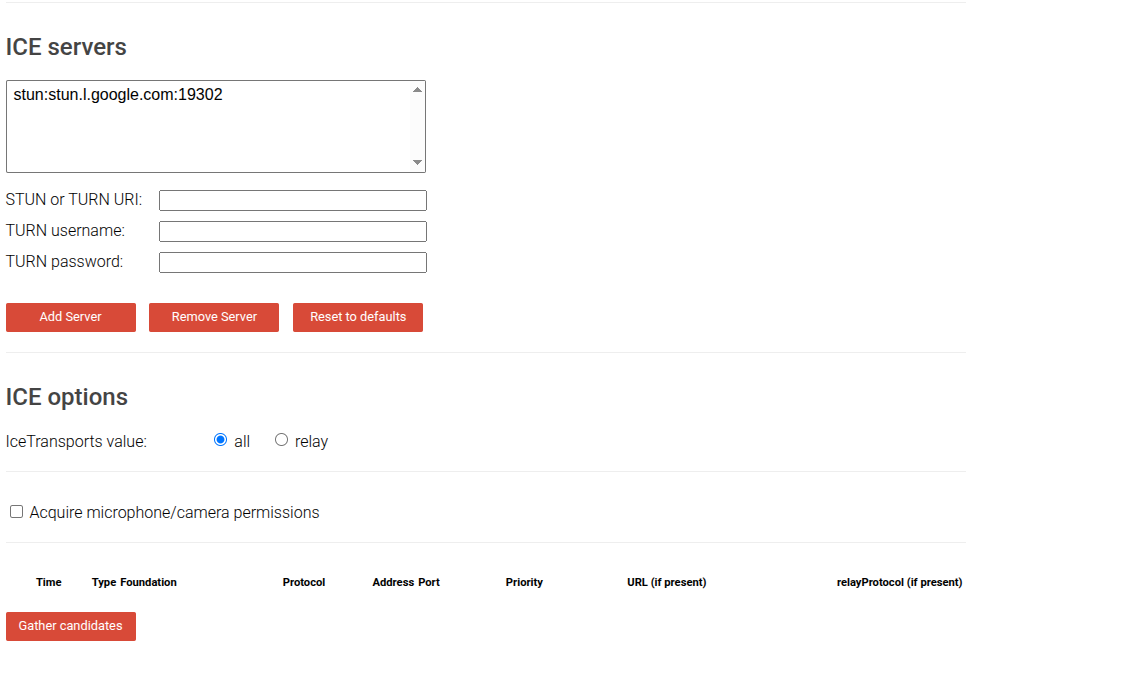
Try the Trickle ICE demo to see your public address: Trickle ICE Sample
- A STUN server is preconfigured on the page.
- Click “Gather candidates” and wait a few moments.
- You’ll see ICE candidates appear, each contains the IP and port other peers can use to reach you.
What Are ICE Candidates?
ICE candidates are basically contact addresses your browser shares so other browsers know how to reach it. Each candidate contains the IP and port information required for a peer-to-peer connection.
Why Do We Need a TURN Server?
Sometimes networks (strict firewalls or certain NAT types) block direct peer-to-peer connections. Even after exchanging ICE candidates, a direct connection may fail. That’s when a TURN (Traversal Using Relays around NAT) server is used.
A TURN server relays media between peers, it’s the fallback “middleman” that guarantees connectivity when direct peer-to-peer is impossible.
From Theory to Practice
Now that you understand signaling, STUN, ICE, and TURN, you’re ready to build a small demo that:
- Uses a WebSocket signaling server to exchange offers/answers and ICE candidates.
- Gathers ICE candidates via STUN.
- Shares audio/video between browsers.
Application Architecture
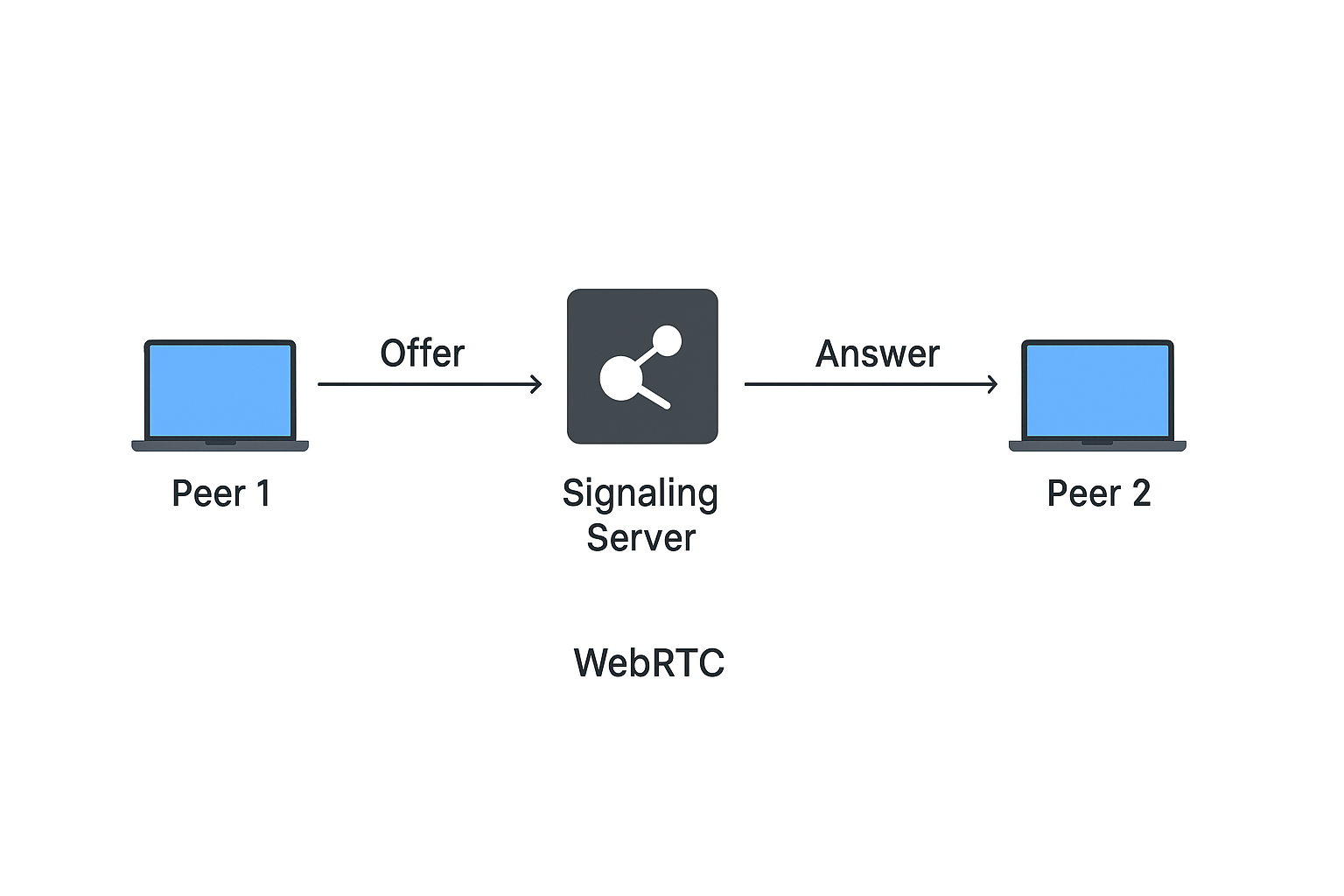
High-level flow:
- Browser A ↔ Signaling WebSocket server ↔ Browser B (exchanging SDP and ICE)
- Both browsers use STUN to learn reachable addresses and relay media
- Media flows directly peer-to-peer
Example & Repo
GitHub repo: Github Link